Why Should You Verify Your Wellous Products After Purchase?
It is important to verify your Wellous products after purchase and we highly encourage every one of our customers to do so. By verifying your purchase, you will be able to confirm the authenticity of your Wellous products, ensuring that you have received genuine, high-quality items. This verification process helps protect you from counterfeit Wellous products. Take the extra steps to verify and safeguard your health and well-being.
Confirm it's genuine
Know you received authentic, high-quality items.
Avoid counterfeits
Protect yourself from fake Wellous products.
Safeguard your health
Only take products you know are the real thing.
How to Verify Your Wellous Products?
Following the step-by-step guide below, you can easily verify the authenticity of any Wellous products you have purchased.
01
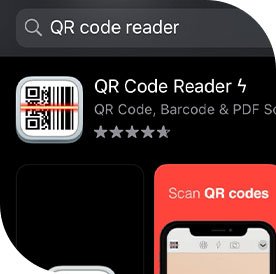
Step 1: Download QR reader
Download any QR code reader app from the Google Play Store or Apple App Store.
02
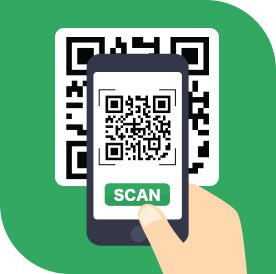
Step 2: Scan the QR code
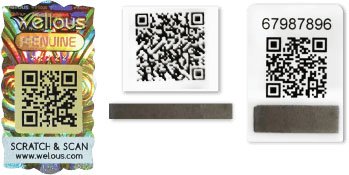
Scan the QR code on the back of your Wellous product packaging. Each QR code can only be verified once.
03
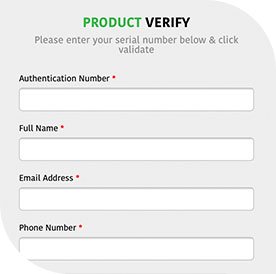
Step 3: Wait for the reveal
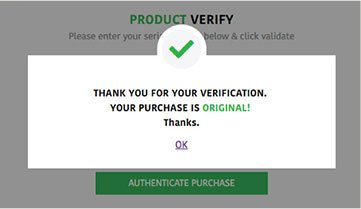
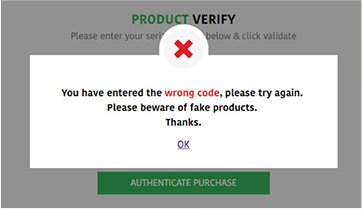
Fill in the relevant information on the authentication form, and the following messages will be shown to help you determine the authenticity of your Wellous product.
Step 2 · Where to scan
Find the QR code on the back of the packaging
Scan the QR code on the back of your Wellous product packaging.
Each QR code can only be verified once, so scan it when you are ready to check your product.
Step 3 · Read the result
What the result means
✓ Original
This message box will appear if your purchase is original.
✕ Not verified
This message box will appear if your purchase is fake or if you have entered a wrong security code or information.
Got a “not verified” result?
First check that the code and details you entered are correct. If it still does not verify, or you are unsure, send us a photo of the packaging and QR code and our team will help you check.